
PBCS Reporting Made Simple
RCP & RSP Performance Reporting.
Validate communication performance data, generate RCP and RSP reports, and manage reporting across multiple FIRs.
The RCP and RSP files your ground system produces, in the ICAO data-collection format. Columns are matched automatically; you confirm them before anything is imported.
Duplicates, impossible time stamps, inconsistent calculations and files out of the ordinary are flagged before the report, and nothing is removed without your knowledge.
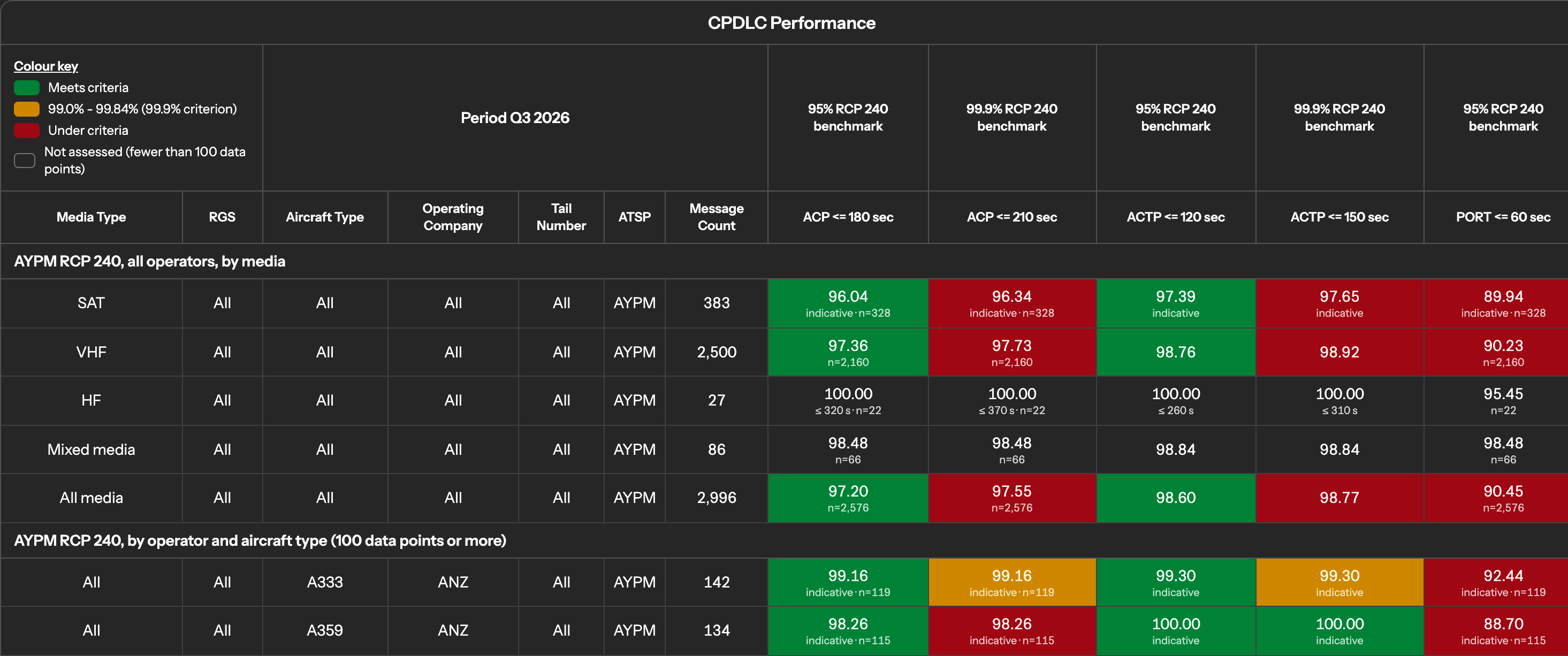
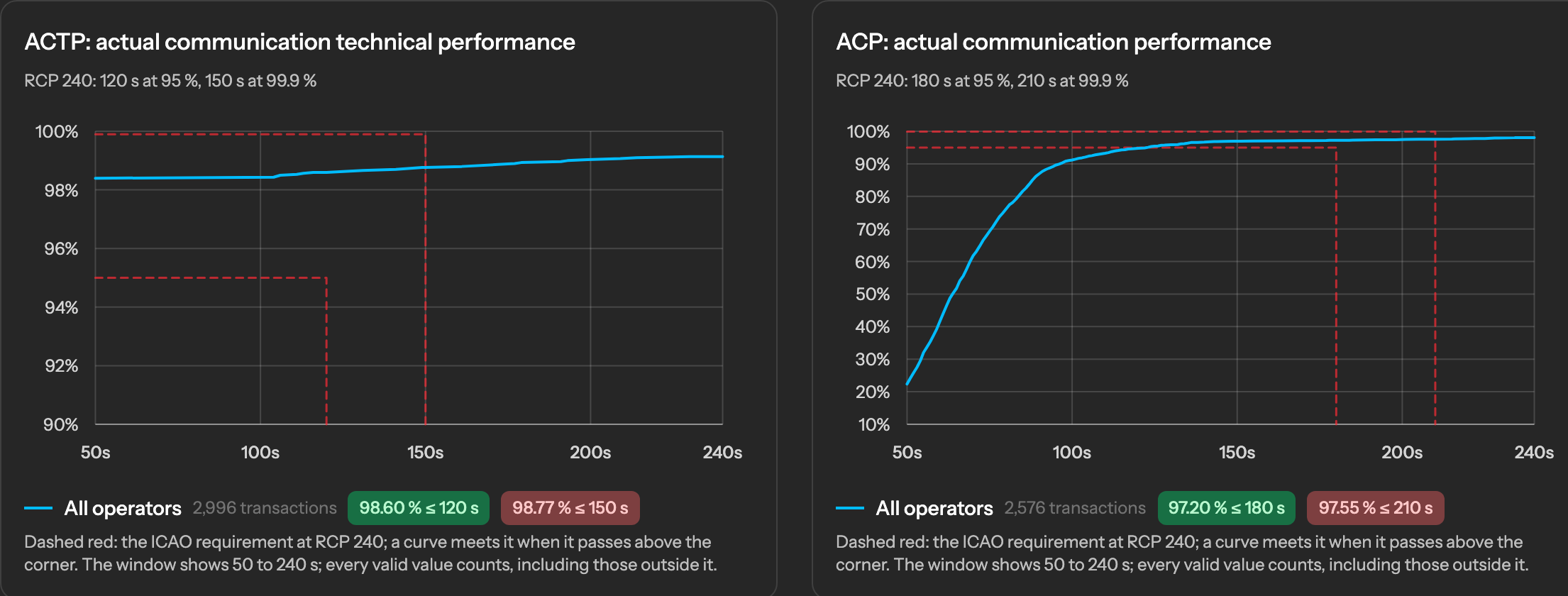
RCP 240 and RSP 180 tables in the regional-report layout, cumulative distribution curves against the ICAO limits, one FIR at a time, by month, quarter or year.
The reports as your team would see them, on invented demonstration data. Click an image to open it at full size.
The first month is free for every plan. Prices in US dollars; tax at 0%. Pay by card monthly or yearly, or by invoice every six months or yearly.
Choose your flight information region(s) from the catalogue at registration. Records of other FIRs are discarded on upload and you are told how many. Your files and reports are yours, visible to your users only, and deleted when you say so.
FIR not in the list? Tell us and we add it.
Write to us through the contact form or at support@skylinkpbcs.com. Invoice customers send their payment receipts the same way.